Tuesday, April 3, 2012

Samsung Galaxy S II (T-Mobile)

Samsung Galaxy S II (T-Mobile) 
Pros
  • Massive and colorful display
  • Extremely powerful mobile processor
  • NFC chip
Cons
  • No MicroSD card included
  • Small bezel around the screen
Bottom Line
Like the rest of the Galaxy S II series, the Galaxy S II on T-Mobile is one of the best phones currently available, hands down. 
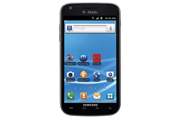


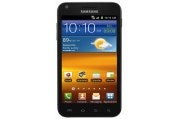
T-Mobile Samsung Galaxy S II Android smartphoneConsidering the massive screen, the crazy-powerful processor, and the NFC and 4G support, it’s hard not to fall in love with the Samsung Galaxy S II on T-Mobile. Available for $220 with a new two-year contract (as of October 10, 2011), the Galaxy S II is a great phone. It has just a few minor flaws that keep it from being truly amazing.

A Tablet-Size Phone

The Galaxy S II boasts the same gigantic, 4.52-inch (480-by-800-pixel resolution) screen we saw on the Epic Touch 4G for Sprint--and that impressive screen is definitely the phone's biggest draw. Colors on the Super AMOLED Plus display appear bright and vibrant, if a little oversaturated. The phone is extremely lightweight, thanks largely in part to its plastic casing. I was never really a fan of the plasticky body of the original Galaxy S, but the Galaxy S II feels solid enough that I can overlook it here.
At 5.11 by 2.71 by 0.37 inches, the T-Mobile Galaxy S II is slightly taller and thicker than the version made for AT&T. When comparing the two phones side by side, I found that I preferred the AT&T Galaxy S II over the T-Mobile one simply because it was much more comfortable to hold. Although larger screens are great for activities such as watching movies or browsing the Web, I thought that the screen size of the T-Mobile Galaxy S II seemed like a bit of overkill on Samsung’s part.
The biggest problem I have with the T-Mobile Galaxy S II is how narrow the bezel is at the sides of the screen. When I navigated the large screen, the bottom part of my hand would constantly hit one of the capacitive buttons under the screen, or brush against the bottom quarter of the touchscreen. Whenever I went to check a notification or enter a URL in the browser, I also ended up opening a menu or launching the dialer. In one instance, I was in the middle of composing a text message, and I wound up closing out of it several times before I could send it.

Specs and Performance

With a 1.5GHz dual-core Qualcomm Snapdragon processor, the T-Mobile Galaxy S II is the most powerful one of the bunch. Everything from basic phone functions to intense 3D games run as smooth as silk. The only time the phone ever slowed down or got stuck was when I tried unlocking it: The lock screen hung for about 3 seconds before responding. To be fair, at the time I was downloading and installing 15 apps at once, so that could explain the minor hiccup I experienced. The phone comes with a Task Manager; since the handset has 1GB of RAM, however, you shouldn’t ever need to use it.
To--ahem--better test how well the Galaxy S II handled games, I downloaded and played Minecraft: Pocket Edition on the device. The game ran well and looked great on that massive display--the Galaxy S II makes for an above-average mobile gaming device. After a good hour of play, I noticed the phone getting really warm, but it wasn't hot enough to be uncomfortable to hold. I also noticed that my hour of gameplay had little effect on the battery--I probably could have squeezed another 2 to 3 hours of Minecraft in if I were so inclined. After about 4 hours of heavy use over 4G, I managed to drain the phone’s battery completely. Samsung has rated the phone as lasting 167 hours on standby, but we’ll have to wait for the PCWorld Labs to test the phone officially to see if that claim holds up.
Call quality on the T-Mobile Galaxy S II was nice and even in San Francisco, but the people I called said that I sounded slightly distorted. The occasional hiss and warping cropped up on my end, but it was hardly noticeable. Overall I can say that making calls using the Galaxy S II was an excellent experience.
Using the Speed Test app as an informal network test, I managed to get 3 megabits per second down and 0.44 mbps up in San Francisco. We don’t have the best T-Mobile 4G coverage here, but those speeds are typical of what we have seen with past 4G T-Mobile devices.

Software and Extras

The Samsung Galaxy S II runs Android 2.3.5 (Gingerbread) and has a few preloaded apps. Netflix comes preinstalled, and runs extremely well over 4G. I could have done without the Blio and Zinio apps, but I can see their usefulness for people who like to read while on the go.
Being a Samsung phone, the Galaxy S II also sports the latest version of TouchWiz. Personally, I prefer vanilla Android or the HTC Sense overlay, but TouchWiz has a few things that I really enjoy. Aside from the bright and colorful icon set, this iteration of TouchWiz employs motion controls for basic actions. To zoom in on a Web page, for instance, you simply place both thumbs on the screen and tilt the phone forward or backward. I found this motion far more intuitive than pinch-to-zoom, and far more accurate.
In addition, I was pleasantly surprised to find out that the T-Mobile Galaxy S II comes with a Near Field Communication chip. With such a chip, the Galaxy S II can read NFC-compatible tags. We haven’t seen many phones that support NFC, and it’s a neat technology that I wish more phone manufacturers would include in their devices.

Multimedia

Considering the phone's giant screen, you’ll likely want to watch movies on this handset. Although I’m not normally a fan of using a phone as a media player, I can see the appeal of doing so with a display of this size. If you are adamantly against watching videos on your phone, you can easily share them with your DLNA-enabled devices using AllShare.
T-Mobile Samsung Galaxy S II Android smartphone test photoThe phone has 12GB of internal storage, but unfortunately it doesn’t come with a MicroSD card. The Galaxy S II is a stellar music player, though, and could easily replace your stand-alone MP3 player. Should you decide to make the Galaxy S II your primary audio device, the phone comes with a pair of (mediocre) headphones that you can use.
Photos that I took with the phone's 8-megapixel camera turned out sharp and clear. Colors seemed a little off, but still looked good overall. The 2-megapixel front-facing camera also did a good job of capturing still images, though it works better for video chat. The Galaxy S II records video at 1080p, and holds its own as a video camera; it picks up voices nicely, but the footage suffers from a jelly effect when you move the phone around.

Bottom Line

The Samsung Galaxy S II is the best phone you can buy right now on T-Mobile. This is a top-of-the-line phone, and it's perfect for people who love larger screens. Though some people may find the handset a little too big, the inclusion of 4G and NFC means that this device won't feel dated down the line. If you crave true power from your smartphone, and if you want the best that your carrier has to offer, the Galaxy S II is the phone to get.
 

T-Mobile MyTouch 4G Slide

T-Mobile MyTouch 4G Slide
Pros
  • Outstanding camera
  • Latest software and chipset technology
  • Wide range of shooting modes and editing tools
Cons
  • Keyboard is difficult to type on
  • No HDMI port
Bottom Line
The MyTouch 4G Slide has one of the best cameras we've ever tested--and the rest of the phone is pretty amazing as well. 
Earlier this month, T-Mobile announced the latest addition to its MyTouch family, the myTouch 4G Slide ($200 with a two-year contract, as of July 15, 2011). The specs look pretty standard for this summer's slew of high-end smartphones: 4G connectivity, a 3.7-inch Super LCD screen, Android 2.3 and a dual-core processor. All of this is great and everything, but what really caught my eye were the camera's specs. In fact, T-Mobile claims that the Slide has the most advanced camera of any smartphone available. So how does the Slide hold up as both a phone and a camera? Read on to find out. Slider Design
As the name implies, the HTC-built MyTouch 4G Slide has a slide-out full QWERTY keyboard in addition to a 3.7-inch WVGA super LCD touchscreen. For a slider phone, I was surprised with how thin the Slide is at only 0.54 inches thick. For comparison, the keyboard-less myTouch 4G is 0.43 inches thick. It weighs a manageable 6.5 ounces.
The keyboard's keys are nicely spaced and large enough, but unfortunately they are a bit too flat for my liking. I found myself using Swype on the touch keyboard more than the physical keyboard.
Killer Camera
The Slide has an 8-megapixel camera and an HD camcorder that can shoot video in up to 1080p. It also has an array of advanced features. As phones beat editor, my camera knowledge is pretty basic, so I went to our cameras beat editor, Tim Moynihan, to decipher some of these specs and features for me.
The Slide supposedly has zero shutter lag, which sounds good on paper, but it is something we definitely needed to put to the test. According to Tim, the autofocus system has to be pretty fast in order to capture non-blurry images without any delay. Looks like T-Mobile's claims are true; the Slide's camera was perfectly snappy and smoothly handled every subject we threw at it.
The camera has a backside illuminated sensor, which is fairly standard in the most recent crop of point and shoot cameras these days, which works well for low-light situations without need for a flash. The Slide's F2.2 lens is a wider aperture than many recent cameras, which also translates to better low-light shooting without the flash.
SweepShot exampleThe SweepShot mode is similar to Sony's Sweep Panorama mode, which is very cool. You press the shutter and move the camera from right-to-left, and the camera stitches together a panoramic image instantly. This mode is incredibly fun to play with and the photos look pretty good (see example) though sometimes they don't stitch up accurately.
HDR exampleThe ClearShot HDR mode is a lot like the iPhone's HDR feature. It snaps a group of photos in rapid succession at different exposure levels, then "stacks" them in the camera to bring out highlights in shadowy areas and create an HDR shot. In my opinion, HDR can either look really cool or really bizarre and blurry. It is fun to play around with, though (take a look at the example).
BurstShot is a really unique feature for a phone camera. This mode takes pictures in rapid succession as you hold the shutter button down (paparazzi style). BurstShot is useful for snapping photos of quick-moving objects, like kids and pets.
Macro exampleMacro mode lets you take close-up shots of objects like the Furby, pictured here. You can get as close as about three inches to your object before the camera starts to lose focus. Tim says that this is pretty good, but there are point-and-shoot cameras that can shoot even closer.
Image quality is excellent for a phone camera. A lot of camera phones have a difficult time handling colors. Tim said that the Slide is on a par with $200-to-$300 stand-alone point-and-shoot cameras. According to Tim, the camera's interface is the best touch interface he's seen on a camera. It is easy to navigate, responsive, and provides helpful information for shooting in various environments.
Video quality was very good as well. In my casual tests, the Slide handled quick-moving objects without any distortion or pixelation. We'll have full camera and video test results posted next week.
Sense and MyTouch Come Together
The user interface is sort of a mash-up between the latest version of HTC Sense and the custom-built UI we saw on the T-Mobile MyTouch 4G. According to T-Mobile, the MyTouch rocks the same version of Sense (Sense 3.0) as the HTC Sensation (also on HTC). The latest version of Android, Gingerbread, is running underneath Sense.
You get a new customizable lock screen, which works similarly to the newly announced lock screen in iOS 5. You can pick a theme for your lock screen (the phone offers quite a few of them to choose from) and then select four apps that you visit most frequently. When you turn on your phone, you'll see the four apps at the bottom of the screen. To unlock the screen, simply drag the circle into position over an app, at which point you'll jump straight to that app. Thanks to this feature, you don't have to go through multiple menus to reach your e-mail or other frequently accessed items.
The new version of Sense has a spruced-up Walls system, too. Rather than having to flick back and forth between your walls, as you do in the stock Android operating system, you can flick the Slide's screen to make the walls spin. The effect is reminiscent of a rotating carousel. And like the older version of Sense, you can pinch anywhere in your homescreen to see thumbnail-size images of your walls.
The MyTouch 4G Slide comes with a few preloaded apps including T-Mobile Video Chat powered by Qik for the front-facing camera and Group Text by Bobsled, which lets you send and receive text messages with groups of friends.
Performance
Call quality over T-Mobile's network in San Francisco was reliably good and I did not experience any dropped calls. My friends on the other end of the line reported my voice sounded a bit distant, but clear with no distortion.
T-Mobile's HSPA+ network is weak where our office is located so I tested the Slide in a number of different locations around the city.
The Slide's dual-core Qualcomm Snapdragon processor (the same you'll find in the HTC Sensation and the HTC EVO 3D) easily handled all the apps and media-heavy sites we threw at it. We also tested the phone using Qualcomm's new benchmarking app, Vellamo. The Slide scored an 803, placing it right behind the HTC Sensation, also on T-Mobile.
Bottom Line
When I hear about phones with a single headlining feature, like say a really powerful camera, I worry that the rest of the phone isn't up to snuff. This isn't the case with the MyTouch 4G Slide, however. The Super LCD touch display, slim design and software place the Slide at the top of this year's mega-smartphones. Of course, if you're a serious photographer, the camera on the Slide probably won't cut it for you. But if you snap a lot of photos with your phone or don't want to carry both a phone and a standalone camera at all times, the MyTouch 4G Slide can get the job done.

HTC Rezound

HTC Rezound
Pros
  • 720p display
  • Incredibly fast dual-core processor
  • Beats Audio built-in
Cons
  • Preloaded with bloatware
  • Terrible battery life
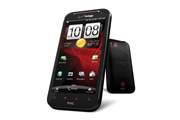
HTC Rezound Android smartphoneThe HTC Rezound ($300 with a new two-year contract as of January 3, 2012) is one of the more capable devices released in the past year. With beefy specs, including a 1.5GHz dual-core Snapdragon processor and Verizon LTE 4G connectivity, the Rezound holds its own against other Verizon smartphones.

Design

With a 4.3-inch, 1280-by-720-resolution super LCD screen, the Rezound is definitely on the larger side. Although the phone may not fit in everyone’s pocket, the roomy display is great for watching movies and playing games. At 6 ounces, the Rezound can feel a bit hefty, but that weight also makes the phone feel rock solid.
Like most other HTC phones, the Rezound has a straightforward design. On the front of the device are the four standard Android navigation buttons (Home, Menu, Back, and Search), as well as a 2-megapixel front-facing camera. The back of the Rezound sports an 8-megapixel camera with dual-LED flash, and it has a soft rubber surface that feels nice in the hand. The volume rocker and power button sit flush with the rest of the phone, giving it a very streamlined look, but also making them somewhat difficult to press. Buttons aside, the Rezound is still very well designed.

Specs and Performance

When it comes to specs, the Rezound is a beast. The dual-core 1.5GHz Snapdragon processor keeps the phone feeling zippy and is great for running graphics-intensive games such as Grand Theft Auto 3 and Dead Space. Unfortunately all that power comes with a price: The Rezound’s battery life is less than optimal. After I spent 3 hours playing games, browsing the Web, and downloading apps over LTE, our fully charged test Rezound had only 30 percent of the battery remaining. The Rezound has several different modes to help regulate power consumption; if you are a heavy apps user, however, you will want to invest in an extended battery pack. We will update this section once we put the Rezound through our official battery tests.
The high-resolution display looks great, but it sometimes lagged when I pressed a button or swiped between home screens. This usually occurred after I exited an app, but it didn’t happen enough to be a nuisance.
The Rezound takes advantage of Verizon’s blazing LTE network. Here in San Francisco, I was able to download several hundred megabytes' worth of data in only a few short minutes over a strong connection. Using the FCC-approved Ookla Speed Test app, I clocked download speeds of around 11.55 megabits per second, and upload speeds of about 10.38 mbps. Call quality was even, with no hiss or static. The people I called said that I came through clearly, and that they couldn’t hear any background noises in my call.

Software

The Rezound runs HTC Sense over Android 2.3 (Gingerbread) and comes with a handful of preloaded software. The Amazon Kindle app, Blockbuster Mobile, Polaris Office, and Slacker Radio all come preinstalled, along with the full version of Need for Speed Hot Pursuit and a demo of Let’s Golf 2. While some of these apps may be useful and entertaining, it’s a shame that you have no option to uninstall any of them should you not want them cluttering your phone.
The HTC Sense overlay runs well on the Rezound, and brings along a few features that are missing from stock Gingerbread. The lock screen allows you to launch applications quickly without having to unlock your phone first, and the notification bar contains a list of recently opened applications for easier multitasking. The Rezound is slated to receive Android 4.0 (Ice Cream Sandwich) sometime later this year; it will be interesting to see how Sense interacts with the new OS.

Entertainment

If you like to use your smartphone as a media player, you will be interested to learn that the Rezound has built-in Beats Audio for better listening. When you plug in Beats Audio-compatible headphones, the Beats Audio software will enable itself and will supposedly “enhance” the audio.
In my tests, I concluded that the Beats Audio software does make music sound better when enabled--but only because normal playback sounds muffled and murky. You’ll want to keep the Beats Audio software enabled whenever you listen to music on the Rezound. If you don’t happen to have Beats-compatible headphones already, try the pair that HTC has graciously included along with the phone. Although they aren't the best headphones ever, they do a better job than most headphones you find prepackaged with phones these days.
The HD episode of Doctor Who that I watched on the Rezound looked excellent, and streaming video over LTE worked flawlessly. As I mentioned earlier, the Rezound’s robust processor makes it awesome for games, and a few hours of playing Dead Space on the Rezound certainly made my daily commute enjoyable.

Camera

HTC Rezound Android smartphoneOutdoor test shot using the RezoundThe 8-megapixel camera on the Rezound is decent enough for everyday photos, but performs poorly in dimly lit environments. In areas with good lighting, colors can look washed out, and objects can sometimes have a reddish tint. The front-facing camera offers good image quality, but you most likely won’t use it for anything besides a few self-portraits.
The Rezound is capable of recording in 1080p, and it did well at picking up audio. It produced a mild jelly-like effect when recording in 1080p, but the result wasn't the worst that I’ve seen. Something that I must commend HTC on is the amount of options available in the camera software: You can fine-tune various aspects for better photos, including sharpness, saturation, and exposure, and the Rezound even features a panorama mode that makes it extremely easy to capture panoramic images.

Bottom Line

The HTC Rezound is one of the best phones available in terms of specs, and it's perfect for media junkies who like to use their smartphone as a multimedia player. The high-resolution display is well suited for movies, and the included Beats Audio headphones are a much-appreciated bonus. The battery life is weak, however, so you will want to buy an extended battery or carry a charger around just in case.
Now for the hard part: choosing between the Rezound and the Samsung Galaxy Nexus. Both are excellent devices, but the decision comes down to what you are looking for in a phone. If you want a phone that is always up-to-date with the latest software, go with the Galaxy Nexus. If you value specs more and can wait a few months for Ice Cream Sandwich, the Rezound will suit you just fine.

HTC Evo 3D HTC Evo 3D Review: Dual-Core, 3D Display, 4G Speeds

HTC Evo 3D
Pros
  • Fast dual-core speeds
  • Ultimate entertainment phone
  • Gorgeous design
Cons
  • 3D cool, but gimmicky
  • Call quality uneven
Bottom Line
Uneven call quality doesn't stop the Evo 3D from being the best phone currently available on Sprint.
I'm not sold on 3D for consumer devices, and I'm certainly skeptical of it on a smartphone-size screen. However, Sprint and HTC make a great team, so I decided to keep an open mind about the HTC Evo 3D. Did the Evo 3D change my opinion of 3D phones? Well, let's just say it is a very good thing that there's more to this phone than just a 3D display.

Solid, Beautiful Design

First and foremost, the Evo 3D is a gorgeous phone. Like the Evo 4G, the Evo 3D is black with blood-red detailing. Keeping it in the family, the Evo View Android tablet, also announced today, has the same color scheme. The Evo 3D smartphone feels solid, but not bulky in the least. It has a nice, textured rubber backing and a slimmer shape that feels good in hand.
With the battery in place, the HTC Evo 3D weighs 6 ounces. It measures about 5 inches tall, nearly 3 inches wide, and 0.47 inches thick. Its display is a 4.3-inch 3D touchscreen with a sheet of Gorilla Glass for added toughness. Unlike the Evo 4G, the Evo 3D doesn't sport a kickstand--mainly because the twin 3D cameras occupy most of the space on the rear.

3D Display

One of the most important features of the Evo 3D is, of course, its 3D display. The phone uses parallax barriers to display 3D images and video, without the need for clunky 3D glasses (similar to the concept used on the Nintendo 3DS). The Evo 3D's 4.3-inch qHD 960-by-540-pixel screen looks terrific in 2D--and pretty good in 3D, as well. Let me be clear, however: This isn't the kind of 3D you'd see at the movie theater. Images aren't exactly flying in your face. Rather, it looks like you can peer into the phone much like a diorama.
You need to maintain an absolute dead-on viewing angle to properly appreciate the third dimension, though. If you're viewing at a slight angle, the image will look like a blurry mess. This can be difficult with a small screen. With an image or a short video clip, it isn't too hard to hold the phone directly in front of your eyes for a few seconds. And don't even think about trying to watch 3D movies outside; it completely fades in bright sunlight. If you don't want to view 3D images and prefer to stick to the standard 2D display, a toggle switch on the side of the device allows you to turn the effect off.

New HTC Sense User Interface

Like the HTC Sensation, the Evo 3D comes with the latest version of the Sense user interface. Sense 3.0 has a brand-new customizable lock screen. You can pick a theme for your lock screen (the phone offers quite a few to choose from) and then select four apps that you visit the most. When you turn on your phone, you'll see those four apps at the bottom of the screen. To unlock your phone, you drag the circle and move it over an app; you then jump straight to that app. That way, you don't have to go through multiple menus to reach your e-mail or any other items you access frequently.
The new version of Sense also has a spruced-up Walls system. Rather than having to flick back and forth between your walls, as you do in the stock Android operating system, you can flick the Evo 3D's screen to make the walls spin. The effect is slightly reminiscent of a carousel and makes navigation a little easier.
You'll find a clutch of new widgets in Sense, but my favorite is the gorgeous new Weather widget. HTC has a nice tradition of creating visual weather apps, and it is cool to see the company continue to improve them. They might not always be pretty, but they sure are dramatic.

Performance

The Evo 3D is powered by a 1.2GHz dual-core Qualcomm Snapdragon processor. The Snapdragon processor supports advanced 3D technology, including full 1080p 30-frames-per-second HD video and stereoscopic 3D video capture and playback.
So how much of a difference does dual-core make? We matched the Evo 3D up against its predecessor, the HTC Evo 4G (a single-core device), and there's quite a big difference--one you'll notice as soon as you turn on the phone. The Evo 4G had a startup time of 74 seconds (!), while the Evo 3D had a much faster startup time of 13.7 seconds. File transfer speed was about the same for both phones, with the Evo 4G clocking in at 7.8 megabits per second versus the Evo 3D with 7.2 megabits per second.
We also conducted two gaming performance tests using GLBenchmark, a software suite that tests the quality and performance of OpenGL graphics. We conducted two tests: one with antialiasing on, and one with it off. (Antialiasing is a graphics setting present in many games and is intended to make gameplay graphics look smoother--for a full explanation of the pros and cons of antialiasing, check out Geek 101: Making Sense of Anti-Aliasing). We measured the graphics in frames per second (fps)--the more frames per second, the smoother the animations and graphics. The difference between the single-core Evo 4G and the dual-core Evo 3D is huge: With antialiasing off, the Evo 4G averaged 5.7 fps while the Evo 3D averaged 36.5 fps.
We're currently testing other dual-core phones, including the HTC Sensation and the LG T-Mobile G2x, to see how the Evo 3D's Snapdragon chipset stacks up against its Tegra 2 competitors.

3D Camera and Video Capture

Despite my mixed feelings about 3D, there's something quite satisfying about capturing 3D images or videos and then being able to watch them on the same device. But you can also view them on any 3D TV with the help of the phone's HDMI-out jack. The HDMI jack uses a technology called MHL (Mobile High-Definition Link) that allows both charging and HDMI-out via the same port.
Like the Sensation 4G, the Evo 3D comes loaded with Watch, HTC's new movie and TV-show streaming service. With Watch, you can download videos and start viewing them immediately. Watch is well integrated into Sense, making it easier to find the videos you want to, um, watch. The app's interface is clean, and movies are easy to find, but the library is pretty sparse at this point. You'll find some newly released movies like Due Date and some classics like Top Gun. If you're looking for something in particular, though, you're not likely to find it (no Spinal Tap!). A few popular TV shows like Chuck and Gossip Girl are available, but you're limited to one or two seasons of episodes.

Data Speeds and Call Quality

The Evo is also juiced with Sprint's 4G data speeds, and it comes with a 4G mobile hotspot feature that lets you share your connection with up to eight devices. I tested the Evo 3D's data speeds using the FCC Speedtest app in the South Park area of San Francisco. The Evo 3D achieved average download speeds of 3.59 megabits per second and average upload speeds of 1.42 mbps. This is in line with other 4G Sprint phones we have tested in the past. And thank goodness for the 4G widget on Sprint phones, which makes it easy to switch 4G on and off (this setting is buried in the Settings menu on Verizon's 4G phones).
Call quality over Sprint's network in San Francisco was okay, though it could be uneven at times.

Bottom Line

The Evo 3D is a powerful phone--3D or not. My opinion of 3D remains pretty much the same: It is fun to watch short videos in 3D or take 3D photos, but it is definitely still a novelty feature. That said, the Evo 3D's design is gorgeous, and the combination of dual-core Snapdragon processors with 4G can't be beat. It is definitely the best phone on Sprint, and a worthy successor to the original Evo

Samsung Epic Touch 4G

Samsung Epic Touch 4G
Pros
  • Bright, clear Super AMOLED Plus display
  • Superb performance
  • Excellent camera
Cons
  • Lots of bloatware/preloaded apps
  • Plasticky build
Bottom Line
The slim and speedy Samsung Epic Touch 4G is excellent for gaming, Web browsing and watching video, but the plasticky design feels a bit on the cheap side. 

Samsung Epic Touch 4G for Sprint: Slim and Speedy

The arrival of Samsung's Galaxy S II phones has been a long time coming. We first saw the next generation of Samsung's popular line of Android phones back in February at Mobile World Congress. After many successful months in Europe, the Galaxy S II line of phones is finally coming to U.S. shores. The first of the phones, the Samsung Epic Touch 4G ($200 with a two-year contract with Sprint; price as of September 12, 2011) will be available starting on September 16.
Ridiculously Thin
The Epic Touch might be a bit larger than the previous generation of phones, but it is incredibly thin. Measuring 5.1 inches by 2.7 inches by 0.38 inch, the Touch feels pretty comfortable in hand--and this is coming from somebody with small hands! Samsung phones have a bit of a reputation for being plasticky, and the Epic Touch unfortunately falls under that descriptor. In her hands on of the Epic Touch at Samsung's launch even, my colleague Melanie Pinola remarked that it felt "less refined" than AT&T's Galaxy S II version.
On the bottom of the phone, you'll find the MHL port, a feature we've seen on many of this year's high-end smartphones. The MHL specification, which stands for Mobile High Definition Link, is a 1080p HD video and digital audio interface for connecting smartphones and other portable devices (tablets, cameras, and the like) to HDTVs. So what's the big deal? It simultaneously provides power to your phone--something that HDMI cables don't do.
Super AMOLED Plus Display
The 4.52-inch Super AMOLED Plus display on the Epic Touch is quite nice, but text isn't quite as sharp as what we saw on the European Galaxy S II. The Epic Touch's display is slightly larger than the European version (which has a 4.3-inch display) so it seems like the text sharpness may have been compromised by larger screen real estate. The text is still quite readable, but it is something I noticed right away upon using the phone.
Otherwise, the display's colors looked bright, details were crisp, and the viewing angles were very good. Blacks were deep, and colors were richly saturated without being overdone. Even when held in direct sunlight, the Epic Touch's display remained incredibly visible. Whites had a bit of a bluish tint, but it wasn't too noticeable. According to Samsung, Super AMOLED Plus displays have 50 percent more subpixels than the first-generation Super AMOLED displays (seen on the Vibrant, Mesmerize, and other Galaxy S phones) and perform even better than their predecessors in bright light.
Android Gingerbread With TouchWiz 4.0
The revamped TouchWiz 4.0 is fairly similar to the previous version, but it has a few aesthetic and functional enhancements here and there. For instance, the new lock screen displays missed calls and unread text messages; you can swipe these notifications rather than having to unlock your phone and then dig through menus to find the missed messages. The Epic Touch's keyboard isn't the native Android one, but it retains the multitouch key-chording feature (you can simultaneously press Shift and a letter to produce a symbol or number--no need to switch between modes) and the ability to use your voice to correct words as you type.
Taking a page from (or directly ripping off) HTC Sense, TouchWiz lets you pinch your homescreen to see thumbnail-size versions of all of your screens. Samsung borrowed another feature from HTC Sense, too: When the phone is ringing or playing music, you can silence it by flipping it face-down on a surface.
Contacts gets some cool new gesture-based functions. Swipe right on a friend's name, and you'll start a call with them; swipe left on their name, and you'll jump to the SMS composer, which you can use to send them a text message. Each of your contact's cards comes with your communication history--for example, when you last called, texted, or emailed the person.
One funny new feature is the ability to reject a call by sending a text message. Let's say that your brother is calling to ask when you're going to pay him back for dinner the other night. A menu will come up giving you the option to answer the call, hang up, or reject it with a text that says "I'll pay you back tomorrow!"
All of Samsung's Galaxy S II phones have six-axis motion sensing, powered by an accelerometer and a gyroscope. This feature is great for gaming, but Samsung also throws in some gesture-based phone controls. For example, you can zoom in and out of images in your gallery or in the browser by tilting the phone. This feature feels a bit awkward and unnecessary, however; I can't see myself ever using it.
TouchWiz isn't for everyone, so be sure to spend some time with it before purchasing a Galaxy S II phone.
Multimedia and Apps
Because this is a Sprint phone, you'll find all of the usual bloatware: Sprint Music Plus, Sprint Radio, Sprint TV and Movies, and Sprint NASCAR. You also get a game called N.O.V.A. HD and various apps--including Samsung's AllShare app for sharing media over DLNA servers.
Perhaps the coolest app Samsung provides on the phone (and on all Galaxy S II phones we've seen) is the company's own Kies Air. The app lets you view call logs, videos, photos, bookmarks, and IMs, and send SMS messages from PC. In order for the app to work, you'll have to install it on your PC and connect it to the same Wi-Fi network as your phone.
Like all Galaxy S phones, the Epic Touch provides the Media Hub for movie and TV-watching. Video looked fantastic on the handset's display and played back smoothly. Even if you don't like Samsung's Media Hub, you'll want to watch a lot of movies and TV shows on this phone. Unlike the European version, the Epic Touch 4G does not have the Readers or Music Hub for purchasing ebooks or MP3s, respectively.
Performance
Like the AT&T Galaxy S phone, the Epic Touch is powered by a 1.20GHz dual-core Samsung Exynos processor. The Epic Touch booted up in 20 seconds, which is pretty fast; in contrast, the Droid Bionic took 43 seconds to turn on fully.
We also tested the phone using Qualcomm's new benchmarking app, Vellamo, to see how a Samsung processor would fare against its competitors. The Epic Touch 4G earned a very impressive score of 914, putting it right behind the Galaxy Tab 10.1 for overall performance and ahead of two phones running Qualcomm chips--the HTC Sensation 4G and the HTC EVO 3D. You should take these results with a grain of salt, since Qualcomm manufactures the app, but the data is interesting to compare.
I experienced reliably good Sprint WiMax 4G coverage in San Francisco. I had a strong 4G signal pretty much everywhere I went in the city. Sprint's 4G network paired with the Samsung Exynos dual-core processor makes for some excellent Web browsing, too. Over 4G, PCWorld.com (the full site) loaded in a speedy 12.1 seconds. Image-heavy site TheBoldItalic.com loaded in 10.1 seconds, and media-heavy ThrasherMagazine.com loaded in 13.6 seconds.
Of course, 4G coverage and signal strength vary depending on where you live in the country and whether your city even offers 4G. We have good 4G coverage in San Francisco; but in our 4G Phone Shootout, Sprint had the poorest country-wide coverage.
Call quality over Sprint was very good overall. My friends and family said that they could hear my voice perfectly and described it as sounding natural.
Superb 8-Megapixel Camera
When we reviewed the European version of the Galaxy S II, we were impressed by its 8-megapixel camera. Luckily, Samsung seems not to have changed the sensor for the U.S. versions. The Epic Touch took excellent photos indoors and out. My only complaint is that colors in my indoor photos looked a bit oversaturated. Details were quite sharp and I didn't detect any graininess or pixelation. The shutter speed on the camera was fast enough to capture photos of sports, kids, and other quick-moving subjects. Again, I must lament the lack of a physical shutter button, but the camera's quality makes up for it.
Like the HTC Sensation 4G, and the Epic Touch 4G supports up to 1080p HD video capture. Video quality was good: The Epic Touch could handle fast-moving cars and slower-moving people without distortion or pixelation.
Bottom Line
We'll be conducting formal lab testing over the next few days, but right now, it looks as though the Epic Touch 4G is the fastest Android smartphone out there. On top of its speediness, it has a superslim design, a gorgeous display, and a superb camera. My only complaint is the amount of carrier and manufacturer-added bloatware on the phone, but that's pretty much par for the course these days.

Samsung Galaxy Nexus


Samsung Galaxy Nexus
Pros
  • 4G/LTE is very fast
  • Ice Cream Sandwich is a real treat
  • Slim, curved design
Cons
  • No expandable memory
  • No Google Wallet support
  • Camera is just okay
Bottom Line
The best Android phone to date, the Galaxy Nexus dazzles with its curved display, sleek design, fast performance, and, of course, the Ice Cream Sandwich update.

Samsung Galaxy Nexus Review: Sleek and Speedy

We’ve been clamoring to get our hands on the gllaxy nexus ever since its unveiling in Hong Kong back in October. Finally, at long last, the U.S. version of the Galaxy Nexus has landed in our office. So is the Galaxy Nexus, the first phone to run Android Ice Cream Sandwich, everything we hoped it would be? Mostly, yes. The Galaxy Nexus ($300 with a two-year contract, as of December 16, 2011) impresses with lightning-fast performance, strong data speeds, a thin design, and, of course, all of that goodness. It isn’t perfect, however. The camera isn’t outstanding, and the handset has no expandable memory slot. But as it stands, the Galaxy Nexus is the best Android phone currently available.

Design

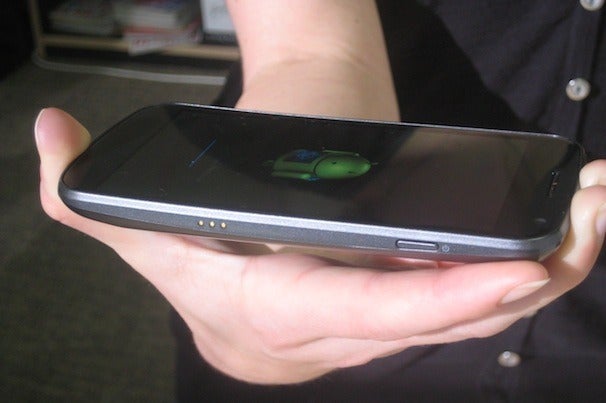
Samsung Galaxy Nexus Review: Sleek and SpeedyThe Galaxy Nexus is one fine-lookin’ piece of hardware. The glossy display, piano-black bezel, and textured back are all standard Samsung design elements. But unlike other Samsung Galaxy phones I’ve reviewed, the Galaxy Nexus feels high quality. At 5.1 ounces, it has a nice substantial weight to it without being too heavy. As you can see from the photos, the Galaxy Nexus has a subtle curve, which nicely contours to the hand. If you have small hands like me, however, you might find the Galaxy Nexus a bit large (it measures 5.33 by 2.67 by 0.37 inches).
The Galaxy Nexus has no physical hardware keys on its face. Instead, the touch-sensitive Back, Home, and Search keys are built into the display as soft keys.

Super AMOLED Display (No Plus)

The Galaxy Nexus has a high-def Super AMOLED display--not to be confused with the Super AMOLED Plus technology found in the Samsung Galaxy S II line of phones. This 1280-by-720-pixel display is actually based on a PenTile pixel structure in which pixels share subpixels.  points out that the Galaxy S II phones have full RGB displays in which the pixels have their own subpixels. This means that the Galaxy Nexus has lower overall subpixel density, reduced sharpness, and degraded color accuracy than the Galaxy S II. But according to site flat panel hd the Galaxy Nexus has 315 pixels per inch, which is slightly lower than the iPhone 4/4S at 326 ppi.
To be quite honest, the only quality difference I saw between the Galaxy S II, the Galaxy Nexus, and the iPhone 4S was in color accuracy. Colors on the Galaxy Nexus had a slight yellowish tint, mainly in pictures or websites with a white background. Otherwise, blacks looked deep, while fonts and details appeared sharp. Unless you’re crazy about pixel density or have insanely sharp eyes, you probably won’t notice the slight display downgrade.
The display is a roomy 4.65 inches, but really only 4 inches of that real estate is usable. The remaining 0.65-inch space is occupied by a customizable shortcut bar that appears at the bottom of the home screens as well as some other internal screens. Even so, the screen feels plenty spacious for all of your gaming, video, and other multimedia desires.

Ice Cream Sandwich: Simply Sweet

We’ve written extensively on Ice Cream Sandwich, and will be doing much more in-depth coverage in the next few days. For this review, I’ll focus on how Ice Cream Sandwich performs on the Galaxy Nexus.
Samsung Galaxy Nexus Review: Sleek and SpeedyThe Recent Apps screen. If you’re familiar with Android Honeycomb on tablets, you’ll find a few familiar features in Ice Cream Sandwich. As in Honeycomb, widgets in Ice Cream Sandwich are now resizable on the home screen. You'll also find a dedicated on-screen Recent Apps button for seeing all of your open apps; just as on Android tablets, it displays a scrollable list of running apps with thumbnail images. Flicking through and switching between apps is not as speedy as I would like it to be, however--I encountered a noticeable delay when going from one app to another.
You’ve probably heard a lot of buzz about the ability to unlock your phone with your face. The front-facing camera snaps a picture of you and then uses facial recognition software the next time you unlock your phone. It's cool, most definitely, but it's not the most secure way of protecting your phone. As Google warns, somebody who looks similar to you can unlock your phone with their face. Nevertheless, face unlock works well, and it is a pretty neat--although somewhat gimmicky--feature.
The Android software keyboard in Ice Cream Sandwich has larger, more square keys so it is easier to type on (though I still made a few errors here and there). You now have an option to verbally dictate your text, as well, though I didn’t always find it accurate. For example, “This is a test of the auto-dictate feature” translated into “Types of the otter dictate feature.”
Developers will delight in the dedicated “Developer options,” which let you access tools such as a CPU usage meter and controls for touchscreen feedback and the background process limit. It is features like this that truly make Android a standout operating system. There’s something for everyone.

The Core Apps

Samsung Galaxy Nexus Review: Sleek and SpeedyThe new Gmail with the Action Bar. Gmail gets a face-lift, with a new context-sensitive Action Bar at the bottom of the screen. The bar changes depending on where in the app you are. For example, when you’re looking at an email message, you see options to archive it, trash it, label it, or mark it as unread. When you’re viewing your inbox, the bar changes to display options for composing new messages. Adding attachments from your gallery or other folders is now much easier as well. If you’re a heavy Gmail user like me, you’ll really appreciate these updates.
The browser in Ice Cream Sandwich is just about as close as you can get to a desktop one. You can now set the browser to request full desktop versions of sites, not the lesser mobile versions. You can also sync your bookmarks from the desktop Chrome browser to the Browser app in Ice Cream Sandwich. Google has added support for tabbed browsing, and you can quickly view which tabs are open, each with a live preview of that page.
Google Calendar pretty much runs my life, so I was pleased to see a cleaner, easier-to-read version of it in Ice Cream Sandwich. I also appreciate the fact that you can pinch-to-zoom in on a particular calendar event to see more information about it; previously you had to tap on the calendar event, and it would open a new window. Like all of the other core-apps updates, Google has made everything in the Calendar more efficient and easier to use.
Unfortunately, Google Wallet is not supported on the Galaxy Nexus--despite the fact that the phone’s hardware supports NFC.

Performance

The Galaxy Nexus is powered by a dual-core 1.2GHz Texas Instruments OMAP 4460 processor, with 1GB of RAM and 16GB or 32GB of storage. The Galaxy Nexus scored well on all of our benchmark tests (which includes the Sunspider JavaScript benchmark and the GLBenchmark). Interestingly, the Nexus’s overall score was about the same as the mark of the Motorola Droid Razr, which has a 1.2GHz TI OMAP 4430 processor. The Samsung Galaxy S II for T-Mobile scored slightly higher overall than the Galaxy Nexus.
We also ran the Qualcomm-developed Vellamo benchmarking app, on which the Galaxy Nexus earned a score of 803. (The droid razar got a score of 1040, which put it ahead of the Samsung Galaxy S II.) This score puts the Galaxy Nexus ahead of the Samsung Skyrocket and the HTC EVO 3D. Because Vellamo was made by a competitor to Texas Instruments, we tend to take these results with a grain of salt.
We’re lucky enough to get very strong 4G LTE coverage here in San Francisco. In my tests using the FCC-approved Ookla Speedtest app, the Galaxy Nexus achieved download speeds ranging from 6.69 to 12.11 megabits per second and upload speeds of 21.18 mbps. In other words, the Galaxy Nexus is blazingly fast.
Call quality over Verizon’s network in San Francisco was consistently good. I had great coverage everywhere I went in the city. My friends and family sounded natural, with an ample amount of volume. One of my friends remarked that my voice sounded “hollow,” but other people I spoke with were pleased with the quality.
We have not yet finished our formal battery life tests, but the Galaxy Nexus survived through a whole day of heavy use before I needed to charge it again.

Camera

Samsung Galaxy Nexus test photoAt the Hong Kong unveiling, Google bragged that the camera on the Galaxy Nexus has zero shutter lag. In my hands-on tests, I found these claims to be accurate: It processes your photo almost instantly after you press the shutter key. Another nice feature is the ability to access the camera from the lock screen rather than having to unlock and then dig through menus.
Unfortunately, the camera just isn’t of the same caliber as the rest of the phone. The photos I shot with the Galaxy Nexus’s 5-megapixel camera Samsung Galaxy Nexus test photoYou can apply a variety of filters to your photos.Samsung Galaxy Nexus test photolooked a bit flat. Colors seemed a touch washed out, and details were a little fuzzy.
But even if your photos don’t come out perfect, Ice Cream Sandwich has your back with its suite of photo-editing tools. You get an array of filters (like your very own Hipstamatic app), the capability to adjust the image angle, red-eye removal, cropping functions, and more. Any edits you make to a photo will create a copy, in case you ever want to revert to the original.
In camcorder mode, you can record video in up to 1080p. Video in my tests looked quite good. The camera handles motion well, with no artifacting or pixelation. Check out the test clip below.

Bottom Line

The Samsung Galaxy Nexus is a superb phone, and a great vehicle for introducing Android Ice Cream Sandwich to the world. Android has clearly come a long way, and the tweaks and updates Google has implemented throughout the operating system make a huge difference in efficiency and ease of use. Right now, the Galaxy Nexus is the best Android phone you can buy.

Samsung Galaxy S3 release date, news and rumours

Samsung Galaxy S3 release date, news and rumours All the information on the Samsung Galaxy S3
Samsung's flagship 2011 Android phone received a glowing 5/5 score when we reviewed the Galaxy S2 earlier this year.
And it was no surprise - Samsung packed a very powerful and capable processor plus a very nice camera into an unbelievably slim case.
Review
Samsung Galaxy Nexus reviewSamsung Galaxy Nexus review
Samsung published endless press releases about its ever growing global sales figures, which can only mean one thing. A sequel is guaranteed for 2012.
Samsung is yet to make any official announcement regarding the Galaxy S3, mind, but the pieces are falling in to place. Samsung's processor developments are clear to see, with the company announcing several new Exynos cores during 2011 that could power the new Galaxy S3.
The Galaxy S 3 (which we've also seen referred to as the Galaxy SIII) is bound to be at least powered by a dual-core processor, but there's even been rumour of a quad-core chipset in Samsung's pipeline, which may power the S3. Here's what else we've gathered so far.

Samsung Galaxy S3 UK release date

The mobile phone industry is extremely predictable. The high-spec models for the year are invariably announced and shown off at February's Mobile World Congress event, with the finished hardware starting to appear on sale at the end of March and into April.
Samsung managed to release the S2 right at the beginning of April in 2011, so it's bound to want to repeat the winning formula and release the S3 at the same time in 2012. If you're due an upgrade next April, the S3 ought to be ready and waiting for you.
In Depth
10 gadgets to look forward to in 201210 gadgets to look forward to in 2012
Update: Bad news, S3 fans: it looks like the phone has been delayed until later in the year already, with Samsung promising a special non-MWC event of its own.
Samsung has even gone as far as cancelling its whole MWC conference altogether, so we're looking forward to seeing how it diverts all those funds into making the Galaxy S3 launch superb.
Update: There is an outside chance that we could see the Samsung Galaxy S3 at an event in Amsterdam on March 15 after an invite was sent out to various members of the press.
Update: A couple of South African carriers have said that they expect the Samsung Galaxy S3 to hit shelves as early as July - which tees us up nicely for a March unveiling.
Update: Samsung's marketing agency looks like it might have dropped the ball, reportedly confirming that the Galaxy S3 will hit UK (and global) stores in April - meaning an quick Apple-esque announcement to availability schedule.
Update: Samsung has confirmed that it will announce the release date of the Galaxy S3 via Twitter first. It has also denied the April launch date rumour above.
Update: A leaked image claiming to be the Samsung Galaxy S3 has appeared online suggesting it will be unveiled on March 22 - however Samsung has already denied the date and the image has several flaws.
Samsung Galaxy S3 - Leak

Credit: Phone Arena
Update: A press image of the suposed Samsung Galaxy S3 has been leaked, revealing a brand new design and a release date of May 22 2012.
Samsung Galaxy S3 - leak

Credit: Reddit
Update: Several reports from Korea have quoted Kim Young-Ha, Samsung Greater China President, saying that the Samsung Galaxy S3 launch date could be brought forward a month from May to April.
Update: Another image (below) claiming to be the Samsung Galaxy S3 has appeared, with striking similarities to the press image above - both of which suggest a May 22 release date.
Samsung Galaxy S3 - leak

Update: Another image claiming to be the Samsung Galaxy S3 has appeared, with striking similarities to the press image above this one - both of which suggest a May 22 release date.
Update: The Samsung Galaxy S3 could be in-line for a surprise launch on March 30, depending on the conclusions you draw from a cryptic paint-job adorning London's flagship Phones 4U store - although this now looks unlikely as Samsung has confirmed it is the launch of a Samsung vendor within the Phones 4U shop.

Samsung Galaxy S3 US release date

The Galaxy S2 took many months to appear in the US, as Samsung rearranged the design and changed features to please the US networks and their customers.
Given that the S2 is therefore still quite "new" to America, we'd expect the S3's American launch to be several months after the UK arrival once again. Mobile hardware launches are one of the few areas where the UK leads the world.
There was rumour the Galaxy S3 was going to be shown off at a special French event - but now Samsung has even denied that too.
Update: Samsung's marketing agency looks like it might have dropped the ball, reportedly confirming that the Galaxy S3 will hit stores worldwide in April.
In Depth
15 best Android tablets in the world15 best Android tablets in the world
It's been suggested the reason Samsung has delayed the Galaxy S3 until after MWC 2012 is so it can be launched simultaneously in the US and rest of the world.
The Galaxy S2 suffered a US release delay, which saw it arrive several months after the rest of the world and Samsung is keen to avoid the same situation this year.

Samsung Galaxy S3 price

Obviously we don't have pricing details for an unannounced phone, so all we can do is speculate. Given the recent launch of the Galaxy Nexus, which sold for an enormous £520 around its launch and for the following few weeks and was available on contracts starting at £36, that's the high-end level we expect of the S 3.
The Galaxy S2 was put on sale for £500 at launch, and contracts for a whopping £46 per month weren't hard to find either. However, that price dropped very quickly, so we expect the same to happen again.
In fact, given the success of the S2 (pictured below), we could even see it set new highs for Android phone prices, as Samsung fans clamour for what will surely be one of 2012's must-have mobiles.
Samsung galaxy s2

Samsung Galaxy S3 processor

Back in November, details of a next-gen Samsung Exynos 4412 chipset were uncovered, describing it as a quad-core unit said to be clocked at 1.5GHz.
Given that Android manufacturers are all clamouring to boast about who's got the most cores in their devices, it'd make perfect sense for the S3 to be announced as a headline-grabbing quad-core phone.
If not, Samsung has officially revealed its work on the dual-core Exynos 4212, a dual-core ARM9 chipset that's claimed to be 30% more efficient and substantially faster than the unit inside the Galaxy S2. Even that lesser option would still make the S3 a great phone.
Or there's the newer Exynos 5250, an up-to-2GHz dual-core model that supports an incredible maximum resolution of 2560x1600. This seems primarily designed for tablets, but with phone specs increasing at such massive speed, who knows?
Update: Leaked information on the Galaxy S3 apparently confirms that it will pack a 1.5GHz Samsung Exynos quad-core processor.
Update: A report suggesting the Galaxy S3 will pack the "quad core exynos 4412" processor was leaked alongside a spy shot claiming to be the handset.
Update: The 1.5GHz quad-core Exynos 4412 processor rumour gets even more backing after reports of a Samsung executive revealing details to the Korea Times.

Samsung Galaxy S3 operating system

Review
Android 4.0: Ice Cream Sandwich reviewAndroid 4.0: Ice Cream Sandwich review
Nothing is confirmed yet, of course, but given the Q2 2012 launch date and the fact that Samsung is already releasing test versions of an Android 4.0 update for the Galaxy S 2, the S 3 is all but guaranteed to arrive with a version of the Android 4.0 Ice Cream Sandwich release.
Google has recently published the 4.0.3 code which it says should be considered the baseline of the Ice Cream Sandwich code, so expect that version to launch on the S 3 at the very least.
We would also expect the Galaxy S 3 to feature a version of Samsung's TouchWiz user interface skin layered over the top of Android as well, which will help differentiate the phone from the "vanilla" Android 4.0 as found in the Samsung-made Galaxy Nexus.
Update: Leaked information suggests the Galaxy S3 will run Ice Cream Sandwich - no surprise here, but if the report is legit it contains other specs about Samsung's hotly anticipated handset.
Update: An image below claims to show the Samsung GT-i9300, running Android Ice Cream Sandwich with TouchWiz overlay, and touts itself as "the real deal" - could this be the Samsung Galaxy S3?
Samsung Galaxy S3 - leak

Credit: PhoneArena

Samsung Galaxy S3 memory

Not much to go on here at the moment, but 1GB of RAM seems to be emerging as the new benchmark for comfortably running Android while maintaining solid performance, so that's our best guess for the S 3.
In terms of onboard storage, the Samsung-made Galaxy Nexus did away with the SD card storage slot, only letting users have the 16GB the phone came with. If that's the way Samsung and Google see the future going, perhaps the S3 will bin SD card support as well.

Samsung Galaxy S3 display

The Galaxy S2 seemed enormous with its 4.3" screen, but since then we've had the even bigger 4.7" HTC Sensation XL, the 4.65-inch Galaxy Nexus (below) and the insanely huge 5.3" Galaxy Note. The most recent mention of Galaxy S 3 screen size came in a rather dodgy-looking Samsung presentation slide, which claimed the S3 would feature a 4.6" screen.
Samsung galaxy nexus

Update: During its CES press conference Samsung popped out a promotional video with a very large-looking device appearing for a fleeting second, with an edge-to-edge display and much larger chassis. Although it could be a revamped Galaxy Note, we're still hoping it was a great S3 leak.
A very dodgy-looking picture has also appeared that supposedly shows the new Galaxy S3 with a flexible screen, although we're taking that with so many pinches of salt our cholesterol levels are dangerously high.
We wouldn't be surprised to see the S3 feature a bigger display than that of the Galaxy Nexus, though, offering something nearer the 5-inch end of the scale – as Samsung will surely want to have something considered both biggest and best as its new 2012 Android flagship.
Update: BGR has reported an information leak which confirms the Samsung Galaxy S3 will pack a 4.8-inch screen with a Full HD 1080p resolution and 16:9 aspect ratio.
Update: A report leaked on Reddit suggests the Samsung Galaxy S3 will come with a 4.7-inch SuperAMOLED+ HD display.

Samsung Galaxy S3 camera

All we have to go on here is more news from Samsung's imaging development teams, which announced the 16 megapixel mobile sensor back in October.
The tech spec of the S5K2P1 state it can capture 60fps HD video, while the still system can take 30 8.3 megapixel shots a second, eliminating shutter lag. If that sensor makes it into the Galaxy S3, every smartphone user in the country will be blagging an upgrade on launch day.
A picture was taken apparently using the camera on Boxing Day, with the EXIF data confirming not much more than it has a flash and it was used at Samsung HQ - is this picture of a plant really the future of Samsung photography?
http://cdn.mos.techradar.com//classifications/Mobile%20Phones/Samsung/Samsung-Galaxy-S3-image-218-85.jpg

Update: A report leaked on Reddit suggests the Samsung Galaxy S3 will have a 12MP camera, built flat into the back of the handset, meaning there will be no bump as found on the Galaxy S2.